Email may feel like a necessary evil of modern age. It actually is a useful and practical method of communication made useless and ugly thanks to noise. The sinister thing about noise is that, the digital kind of noise is not as obvious, even though it is just as obnoxious as noise in real life. By “noise” I mean anything that is occupying our attention from what matters. Digital noise is so quiet and deafening that everybody appears to have accepted it.
This blog focuses on email filtering. Even though I had few email filters for few things, it is obvious that for email to remain an acceptable method of communication, I have to utilize them to fullest.
Sieve programming language was introduced in 1999, because apparently it became a problem before the turn of the millennia. Then it quickly became a worldwide accepted standard, see RFC3028. I find it funny to be frank. Sieve is a very light language, and provided for free by all email service providers. Unfortunately, it looks intimidating, and can be hard to get started with.
But, before I can filter emails into different things, I need to know what those things should be. So many personal organization tutorials and tools use vague terms such as work/family/personal, but even if I separate emails in such fashion, I still wouldn’t know which ones need my attention the most.
Eisenhower Matrix
Eisenhower Matrix is a task management method to evaluate how much priority each task should receive. You can learn about it here.
Emails are tasks in disguise. Each email either introduces a new task, or reminds of an existing task. Therefore, we can apply the principles of Eisenhower Matrix to emails.
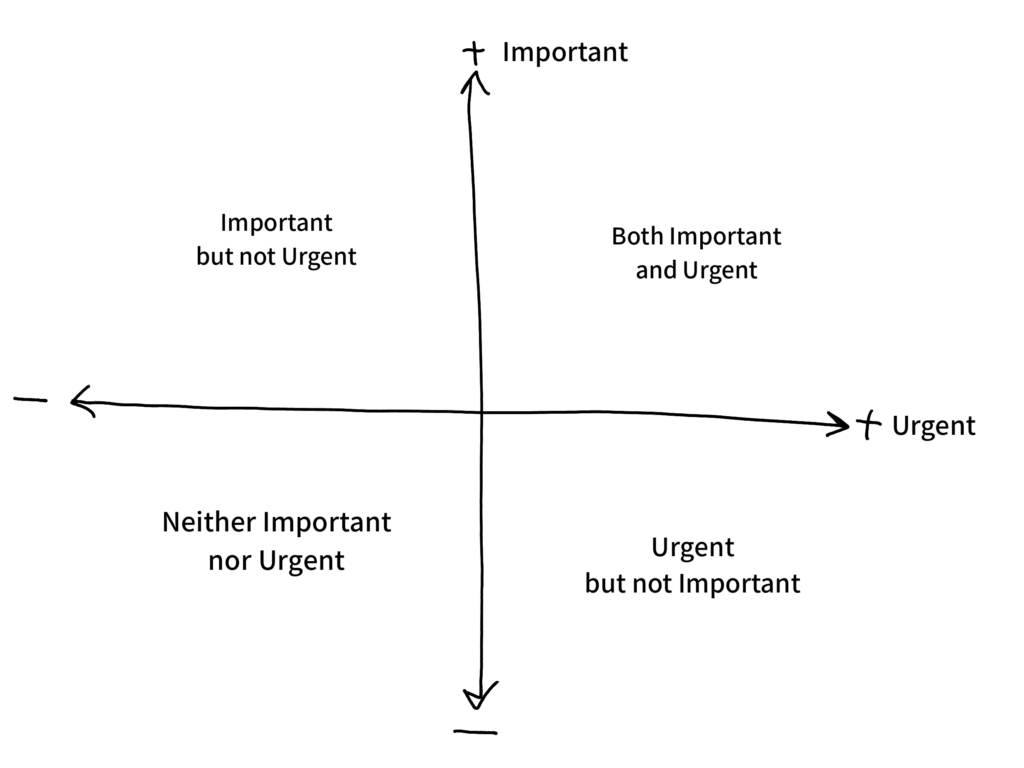
I started labelling emails according to their urgency and importance. This method unfortunately started showing its cracks after 2 to 3 days. Issue seems to be that, even though I visualized the importance and urgency of emails, I still had to make a filter emails according to 2 different criteria, and make a decision on which have higher priority. The purpose of Eisenhower Matrix is not to show you priority of things, but help you decide their priority. In other words, it is an in-between step. I want to abstract one level further.
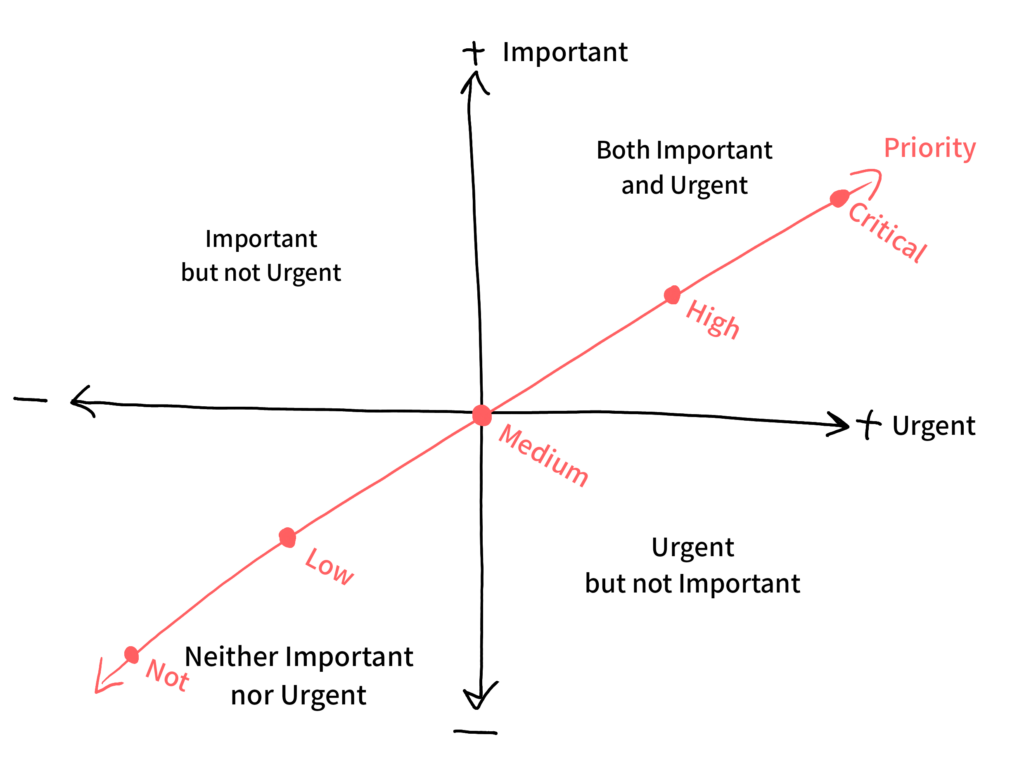
To give some context, below is how I imagine these priorities will be assigned:
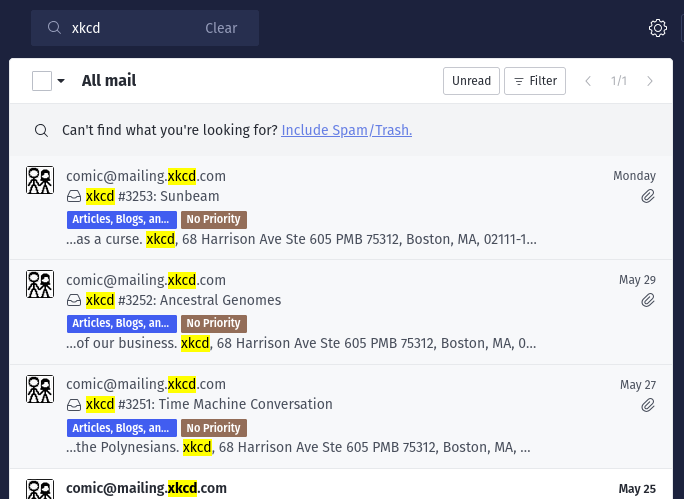
- Not Priority: newsletters and other subscriptions that I would like to keep up with, such as XKCD comics, but don’t have negative consequences if ignored or removed.
- Low Priority: Basic notifications which don’t need to be responded to, or can be postponed safely for some time, such as notifications telling me someone replied on a thread I conversed in on Microslop’s Teams. These are informative things which may or may not become a task. Online marketplace stocked, or wishlisted item discounted are good things to know, but in most cases can be ignored without a negative consequence. I often delete these emails after reading their subject line, without opening them.
- Medium Priority: For things that are too important to be low priority, yet too unimportant to be high priority. Subscription renewal receipts are probably will be medium. I would like to be aware of them to reevaluate, or add them to my budget tracker, but that can be done when I find time for it.
- High Priority: Things here are either tasks with deadlines that cannot be done immediately (school assignments), or important news that I need to be aware of (event rescheduled or meeting location update). Reminders for important payments may end up here, such as website domain renewal. Even though that is set to auto-renewal, bank cards do expire.
- Critical Priority: These messages need to rise to the top. Important and time sensitive things such as “someone logged into your account” or “here is your MFA code for login” are marked critical. If the login attempt was done by someone other than me, I want to know about it, so that I can secure my online accounts in a timely manner. Also other important stuff such as server is down or expiring domain notifications are here as well. Interesting thing is that every critical priority email ended up being actionable from anywhere. If I am the one who logged in, I can delete the email without a worry. It is better to be safe than sorry. Also, reminders for that today’s calendar events are critical as I often forget to check my calendar 😅
Eisenhower Matrix inspired email filters sound great in theory, don’t they? “Fool proof” a fool might say. In practice, it was easier to mark everything as high or medium priority. For this system to not loss its meaning or purpose, I have to be conservative. Because when everything is priority, nothing is.
Most of us witnessed this first hand. Phone notifications were supposed to be notifying us about what needed our immediate attention (Critical Priority), and we got always-on display for high priority stuff. Unfortunately we are in a world where having people’s attention is the name of the game. Everybody is asking you to “smash that bell icon, so that you never miss any of future videos” and every application want you to enable notifications as soon as you open it for the first time. Disrespect to our time and attention is encouraged. I am in this mess because I lost respect to my own time. We accepted everything to be priority, so that nothing can be.
I present you Simple Sieve Filter Generator, a simple program to generate boilerplate email sieve filter, so that filtering noise is easier to get started with. It is a standalone offline program, so that you can download to your device and forget where you got it from, but continue to benefit from it. Click here to download it for offline use. For those of you who want to follow the development of the script, source-code is on Codeberg.
Notes
Catch-all label: One problem I noticed with deciding priority according to subject line is that I should have received every type of email from any a sender to be able to make an exhaustive filter. This is rarely possible. For example, you might have received account login warning, OTP code, or Memo emails from your new employer, but not “T4 – 2026 income report” email yet. Document attached to that email would contain important information for you, but you cannot know what the email subject would look like. This is why I recommend using a catch-all label called Unknown Priority, which appears at the bottom of the script. Since this label applies as the last thing in every filter, it has the effect of marking new type of emails from senders with an existing filter on my system, helping me make my system exhaustive in the long run.
Priorities change: Filters can be adjusted. Not every priority is set in stone. For example, depending on how actively I am looking for a job at the moment, job posting related emails from LinkedIn can be adjusted to be low, medium, or high priority.
Subscription receipts as high or medium priority: If you are an adult living in 2026 or later, you might have be paying for subscriptions you no longer use. I call them “dangling subscriptions”. Giving subscription receipt emails some priority has the side effect of making them pop-up or shine, so that I get to reevaluate whether they are worth keeping around, or something I should have cancelled a while ago.
Known Bugs: Like me, this script isn’t flawless. Its shortcomings are already showing up. I noticed that my implementation is unable to generate the filter, when the subject line condition numbering isn’t consistent. For example, if you create a filter with 3 subject line conditions, then remove the second subject line, program will refuse to generate the filter with only the first and third conditions. Only fix is to delete all conditions starting from the inconsistency, and re-adding them while keeping the numbering consistent.
Write consistent subject lines: Similar to me building email filters for incoming emails, I can expect others to develop similar email filters for emails from me. I am now working on building a convention in my subject lines. Computer programmers who write open source code would know the importance of having a convention in Git commits. This is a similar problem 😉
Reason I treat emails like tasks: Emails get priorities just like tasks because (more often than not) they are tasks. Physical or electronic, a mail is intended to trigger an action. Even if they appear to be just informative in nature, such as there is a new XKCD comic, it is a trigger to read that comic strip.
Fun fact: Email takes after physical mail so strongly that there is technically no concept of folders, labels, tags, categories etc. There are only boxes. You are familiar with inbox and outbox. Then some other boxes are often provided for us by the mail service provider, such as archive, junk and garbage. Then we get to add our define our own boxes, such as Critical Priority, High Priority, etcetera. What you see as folders or labels are just presentation details. They are all boxes in disguise. If you created a folder, and then try to create a label with the same name, you might encounter an error telling you that a folder with that name already exist. My advice is to create the labels before using them in filters.
This message will self-destruct: Did you know that some email providers give option to auto delete emails after some set time. I use it for login codes since they are only useful for a short time. Then they just make my mailbox appear cluttered and busy. Let them go, by themselves.
For technically inclined, and want to make their filters more powerful, you can read the Sieve Script Cheatsheet by Hotrod369 on GitHub.
Conclusion
Email neither has to be scary nor useless. We can take back what is rightfully ours, our attention. This starts with writing few scripts to get some context about those email, and making decisions with less effort. Save your sanity. You deserve to be sane.
